
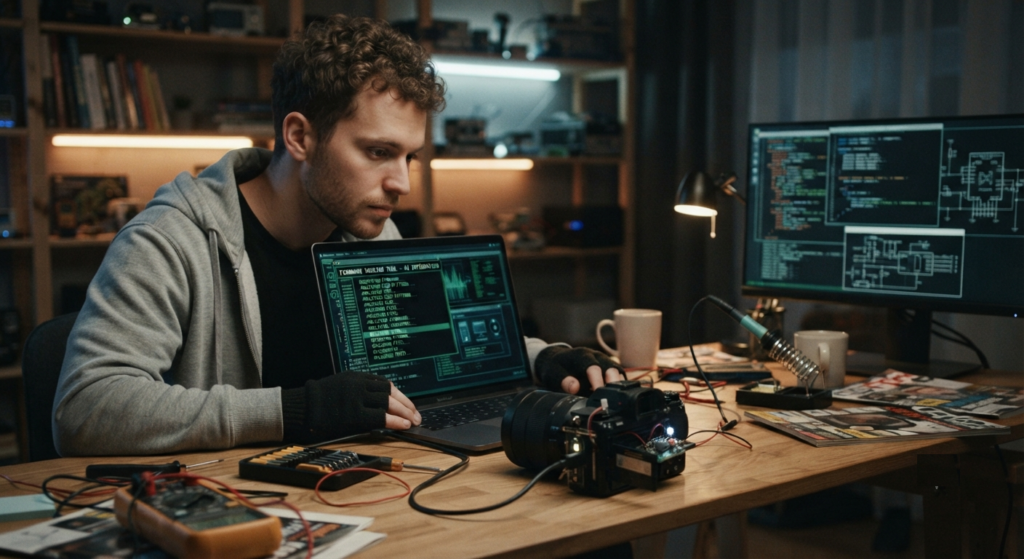
Have you ever looked at your old DSLR or digital camera and wondered whether it could do a little more? Perhaps you have a five- or ten-year-old camera that still takes beautiful photographs but lacks some of the features found in today’s entry-level cameras. Maybe you wish it had focus peaking, time-lapse photography, better video controls, RAW shooting or more manual settings.
Before you rush out to buy a new camera, there is something interesting worth exploring: camera firmware modification.
Yes, it is sometimes possible to modify, extend or unlock a camera’s software to introduce features that the manufacturer never officially offered. In the photography community, this is often referred to as camera hacking.
And no, we are not talking about breaking into somebody else’s camera. We are talking about experimenting with your own equipment, exploring open-source projects and discovering what your camera’s hardware might already be capable of doing.
Let’s explore how this works and, more importantly, how it could help revive some of those forgotten cameras.
1. What exactly is camera firmware?
Think of firmware as the operating system of your camera. It is the software responsible for controlling almost everything that happens when you switch your camera on.
It manages the sensor, autofocus, shutter, exposure settings, image processing, memory cards, LCD display, video recording and communication with other devices.
Manufacturers such as Canon, Nikon, Sony, Panasonic and Fujifilm develop firmware specifically for their camera models.
However, manufacturers sometimes restrict certain functions because of product positioning, hardware limitations, market segmentation or technical considerations.
For example, an entry-level camera might have a capable processor but offer fewer advanced video controls than a more expensive model.
This raises an interesting question: what if some of those restrictions are software-related rather than hardware-related?
That is where firmware modification and third-party firmware extensions become interesting.
2. Firmware hacking doesn’t always mean replacing the original firmware
There are actually different approaches to modifying a camera’s capabilities.
A. Firmware extensions
These add functionality without necessarily replacing the original camera firmware. They may run from a memory card or load into the camera’s memory when it starts.
This is generally the more approachable route for hobbyists.
B. Firmware modifications
These involve changing existing firmware files, configuration settings or software components to unlock additional functionality.
This approach requires considerably more technical knowledge and carries greater risk.
C. Custom applications
Some cameras, particularly certain Sony models, support installing third-party applications. These applications can modify settings or add capabilities without rebuilding the entire camera operating system.
For someone interested in reviving old equipment, starting with an established extension or application is usually much more sensible than attempting to rewrite the firmware.
3. What features could we potentially add?
This is where things become exciting. Depending on the camera model and the available community-developed tools, several useful capabilities may be possible.
1. Time-lapse photography
Imagine taking your old DSLR out to photograph a sunset, a moving cloud formation or a flower slowly opening.
A time-lapse feature automatically captures photographs at predefined intervals.
For example:
- Take one photograph every five seconds.
- Continue shooting for 30 minutes.
- Automatically stop after a specified number of frames.
- Combine the photographs into a time-lapse video later.
Some older Canon cameras can achieve this using the Canon Hack Development Kit (CHDK) or compatible scripting tools.
This is particularly useful for photographers interested in landscape photography, architecture and astronomy.
2. Focus peaking
Focus peaking highlights areas that are sharply focused, usually through coloured outlines on the LCD display.
This is especially helpful when using manual-focus lenses.
Many older mirrorless cameras and DSLRs do not offer built-in focus peaking. Certain third-party firmware projects, including compatible Magic Lantern builds for Canon cameras, provide focusing assistance.
Imagine attaching an old manual-focus lens to your DSLR and being able to identify exactly which part of the image is in focus.
It can make an otherwise ageing camera considerably more useful.
3. RAW photography
Some older compact cameras are restricted to JPEG photography.
However, certain models can capture RAW sensor data using third-party firmware extensions.
For example, CHDK supports RAW and DNG capabilities on compatible Canon PowerShot cameras.
Why does this matter?
RAW files retain considerably more information for post-processing than ordinary JPEG files in many shooting situations.
You can recover highlights, adjust shadows, correct white balance and experiment with colour grading.
For someone who owns an old compact Canon camera, this could be one of the most worthwhile upgrades.
4. Better video recording controls
Some older cameras offer limited video settings.
Depending on the model and available firmware extension, it may be possible to access:
- Additional bitrate controls.
- Manual audio monitoring.
- More exposure controls.
- Custom frame-rate options.
- Improved on-screen monitoring.
- Recording assistance tools.
Magic Lantern, for example, introduced several advanced video and audio tools to supported Canon EOS cameras.
It is worth remembering that these features do not magically turn an old DSLR into a modern cinema camera. Sensor readout speed, processing power, overheating and memory-card bandwidth remain important limitations.
5. Motion detection photography
This is a particularly interesting feature for wildlife photographers.
Imagine leaving an old camera pointed towards a bird feeder. Instead of continuously taking photographs, the camera waits for movement and triggers the shutter when something enters the frame.
Compatible CHDK versions offer motion-detection functionality.
You could experiment with photographing:
- Birds landing on branches.
- Animals approaching a water source.
- Lightning during a storm.
- Insects moving around flowers.
- Small objects passing through a predefined area.
An old compact camera could potentially become an inexpensive experimental wildlife photography setup.
6. Exposure and focus bracketing
HDR photography and focus stacking often require multiple photographs with slightly different settings.
Exposure bracketing captures multiple frames at different exposure levels.
Focus bracketing captures multiple frames at different focus distances.
These photographs can subsequently be combined using software such as Photoshop or dedicated focus-stacking applications.
On compatible cameras, firmware extensions can automate parts of this process, saving considerable time.
4. Real-world examples of camera firmware projects
Fortunately, photographers do not have to develop everything from scratch. Several established projects have already explored this area.
Example 1: Magic Lantern for Canon EOS cameras
Magic Lantern is one of the best-known community-developed firmware projects for compatible Canon EOS cameras.
It has introduced features such as:
- Focus peaking.
- Advanced audio monitoring.
- Intervalometer.
- Exposure tools.
- Custom video controls.
- RAW video capabilities on certain supported models.
For someone owning a compatible older Canon DSLR, this project is certainly worth investigating.
However, compatibility depends on the exact camera model and original firmware version.
Example 2: CHDK for Canon PowerShot cameras
CHDK, or Canon Hack Development Kit, is particularly interesting because it targets Canon compact digital cameras.
It can introduce features such as:
- RAW photography.
- Manual exposure overrides.
- Live histogram.
- Zebra exposure indicators.
- Motion detection.
- Time-lapse scripts.
- Focus and exposure bracketing.
One of its attractive characteristics is that it generally loads as an additional program rather than permanently replacing the original camera firmware.
This makes it an interesting starting point for experimenting with older compact cameras.
Example 3: OpenMemories for Sony cameras
Certain Sony cameras support third-party applications through the PlayMemories Camera Apps ecosystem.
OpenMemories: Tweak has offered options such as unlocking language settings and modifying video recording restrictions on compatible models.
The project also provides developer-oriented capabilities on supported cameras.
This demonstrates how manufacturers’ software ecosystems can sometimes be extended beyond their original intended functionality.
5. How can you start experimenting with your old camera?
Now comes the practical part.
Suppose you have an older Canon, Sony or another compatible camera. How should you approach firmware modification?
Here is a sensible starting process.
Step 1: Identify your exact camera model
Check the model number printed on the camera body.
Do not simply search for something like “Canon DSLR firmware hack”.
A Canon EOS 600D, 700D and 5D Mark III, for example, may have completely different compatibility requirements.
Record the following:
- Exact camera model.
- Current firmware version.
- Region or market variant, if relevant.
- Memory-card type.
- Available computer connectivity.
Step 2: Find an established community project
Look for a recognised project that explicitly supports your camera.
Examples include Magic Lantern, CHDK and OpenMemories.
Read the documentation and compatibility lists carefully. Never assume that software supporting one camera in a product family will work on another.
Step 3: Back up your important settings and photographs
Before experimenting, copy all photographs from your memory card.
Record your existing camera settings and, wherever the official process or community documentation permits, preserve the original firmware or configuration.
A backup is particularly important when experimenting with settings that cannot easily be restored.
Step 4: Understand the installation method
Different projects use different installation procedures.
Some load software from an SD card. Others use an application installer or a specially prepared firmware-update process.
For example, CHDK can be installed on compatible Canon PowerShot cameras using a suitable memory card.
Magic Lantern has its own model-specific installation instructions.
Follow the exact instructions for your camera and firmware version. Never load firmware intended for a different model.
Step 5: Begin with one feature
Do not enable every experimental option immediately.
Start with something relatively straightforward, such as an intervalometer, histogram or focus-assistance feature.
Take a few photographs and compare the results with those produced using the original camera software.
If everything works properly, gradually explore additional functionality.
Step 6: Keep a recovery plan
Always understand how to remove the extension or restore the original configuration before beginning.
Keep your battery fully charged during installation, avoid interrupting firmware operations and do not experiment with permanent firmware replacement unless you understand the recovery procedure.
A failed firmware modification can leave a camera unusable.
6. What cannot be achieved through firmware hacking?
It is important to keep expectations realistic.
Firmware cannot create hardware that does not exist.
For example, you cannot realistically turn a 12-megapixel sensor into a genuine 30-megapixel sensor through software modification.
Similarly, firmware cannot magically add:
- In-body image stabilisation to a camera without the required hardware.
- A faster physical shutter mechanism.
- A more sensitive image sensor.
- Additional physical autofocus points.
- Faster sensor readout.
- Better cooling hardware.
Some features can be improved through software, but hardware limitations will always remain.
There is also the question of reliability. Experimental firmware can cause crashes, battery drain, overheating or unexpected behaviour. Warranty coverage may also be affected.
For equipment used professionally, test modifications extensively before depending on them for important assignments.
7. Could we build our own camera firmware modifications?
Absolutely, although this is a considerably more advanced undertaking.
For technically inclined photographers and developers, camera firmware projects can become fascinating programming experiments.
A typical development process might involve:
- Studying the camera’s hardware architecture.
- Understanding its processor and operating system.
- Examining publicly available firmware files.
- Studying existing open-source camera projects.
- Identifying accessible camera functions.
- Developing a small application or software extension.
- Testing it on compatible hardware.
- Documenting the results and sharing improvements.
Programming languages such as C and C++ are useful in low-level firmware development. Python can also help with analysing firmware files and automating supporting development tasks.
However, reverse engineering a camera’s firmware is not a weekend project. Some manufacturers use encryption, cryptographic signatures and hardware-specific security mechanisms.
Starting with an existing open-source project is considerably more practical than attempting to build an entirely new firmware system.
8. The bigger opportunity: giving old cameras a second life
There is something quite satisfying about taking a camera that has been sitting unused for years and discovering that it can still do something interesting.
An older DSLR could become a dedicated time-lapse camera. A compact PowerShot could become a motion-triggered wildlife camera. An older Canon EOS body could become an experimental filmmaking tool.
You might not need to spend thousands on new equipment to explore a different photography technique.
Of course, not every old camera can be upgraded, and not every modification is worth attempting. But the possibilities are genuinely interesting.
Perhaps the next big photography experiment does not require buying a new camera at all.
Perhaps it simply requires understanding the camera you already own a little better.
So before you retire that old DSLR or compact digital camera, spend some time researching its firmware. You might be surprised by what it can still do.